Divi 5 is now formally available. Moving to Divi 5 is the most significant change you can make if you already have a Divi website. Faster page loads, a revised Visual Builder, and capabilities that drastically alter what's possible are all provided by the new foundation. With the help of this article, you may confidently go from Divi 4 to Divi 5.
It's helpful to know what the migration truly accomplishes behind the hood before delving into the how. Shortcodes like [et_pb_section] and [et_pb_row], which are immediately included in your post content, are how Divi 4 keeps all layout data. Divi benefited greatly from this style for many years, but eventually it caused performance issues and hindered the development of new features.
Divi 5 uses a new, more reliable storage structure in the background to replace shortcode-based layout storage. Every compatible module on your website is converted from the previous shortcode format to this new structure by the Divi 5 Migrator during the migration process. Your setups, design settings, and content are all kept. After migration, the front end of your website still looks and works the same. The performance improvements stem from the complete difference in Divi's processing and rendering of such data.
A backward-compatibility layer is used to continue utilizing the Divi 4 framework for modules that are not yet supported by Divi 5 (mostly third-party extensions from the Divi Marketplace). This means that rather from being translated directly, legacy Divi 4 modules can continue to function through Divi 5's backward-compatibility layer. Until their developers deliver Divi 5-native upgrades, those modules continue to function just as they did.
The succinct response: Divi 5 is no longer in beta. This is the official recommended for all new and existing Divi sites, and it is the production-ready release. Four.
The shift is now much more feasible for websites that depend on third-party plugins. While developers release native Divi 5 updates, legacy third-party modules can continue to operate thanks to Divi 5's backward compatibility approach. This implies that you don't always need to wait for every product in your stack to be completely rebuilt before moving forward. Additionally, third-party developers now have a steady production target thanks to the official release of Divi 5, which should accelerate the distribution of compatibility updates throughout the Divi ecosystem.
What you get right away following migrating is as follows: a whole new UI. The Visual Builder has undergone a complete reconstruction. You can always access the Layers view, Design Variables, and a plethora of additional tools with a persistent left sidebar. For quick activities, contextual floating menus show up when you hover over them. With settings arranged into Content, Design, and Advanced tabs (similar to Divi 4, but with far more functionality built in), the right sidebar adjusts to whichever element you choose.
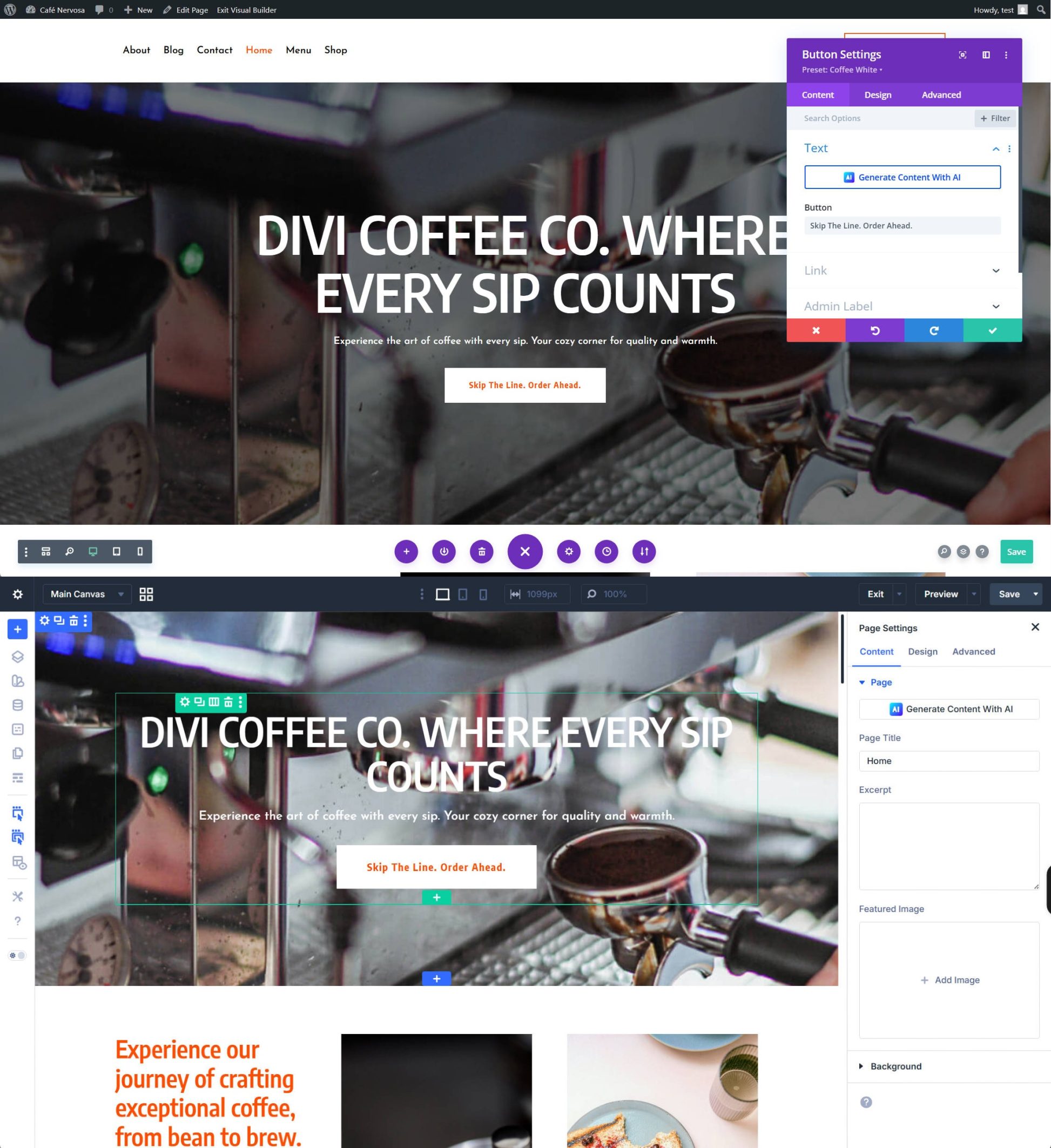
Flexbox and a native CSS grid. Flexbox and CSS Grid layout techniques are integrated into Divi 5. Without bespoke CSS, it was previously difficult to develop intricate, responsive layouts. These are the best ways to apply these layout elements in any page builder; they are not merely new display kinds. Option group presets and design variables. Divi 5's Preset system operates on several levels. An complete module's setup is saved in Element Presets. You can apply distinct style groups (such as borders or spacing) across various module types by using Option Group Presets. You can create and manage design systems that update globally from a single source when combined with Design Variables. Loop Builder, Interactions Builder, and more. Without the need for plugins, trigger-driven effects are made possible via the Interactions Builder. You may make unique dynamic content templates with the Loop Builder. Divi 4 simply lacks capabilities like Custom Attributes, Find & Replace, Nested Rows, Advanced Units, HSL & Relative Colors, and Customizable Responsive Breakpoints. We have not even touched on a long range of features.
You lose out on more things the longer you wait. Additionally, waiting means postponing all these advantages for no real reason due to backward compatibility with your Divi 4 third-party modules.
You can get started with a few easy steps.
Do not omit this step. We highly advise building a staging site, which is a private clone of your website where you can test the migration without impacting your live site, to make the process safer. Although Divi offers some built-in security, you should still take precautions to keep your website safe. You can use a plugin like WP Staging if your hosting company does not allow one-click staging (like SiteGround, Cloudways, or WP Engine). You must at least use a program like UpdraftPlus or BlogVault to perform a full backup of your database, uploads, themes, and plugins if a staging environment is not an option.
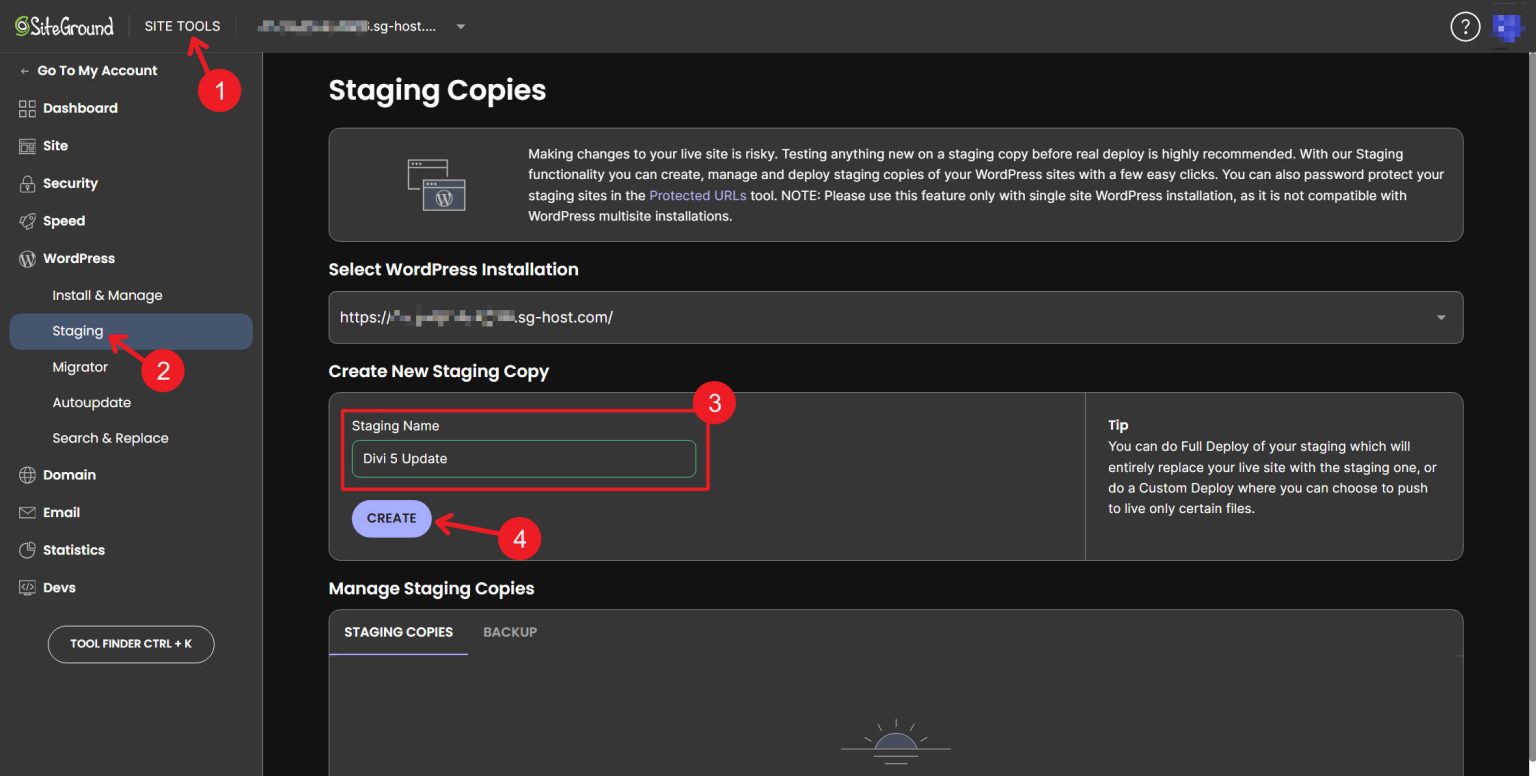
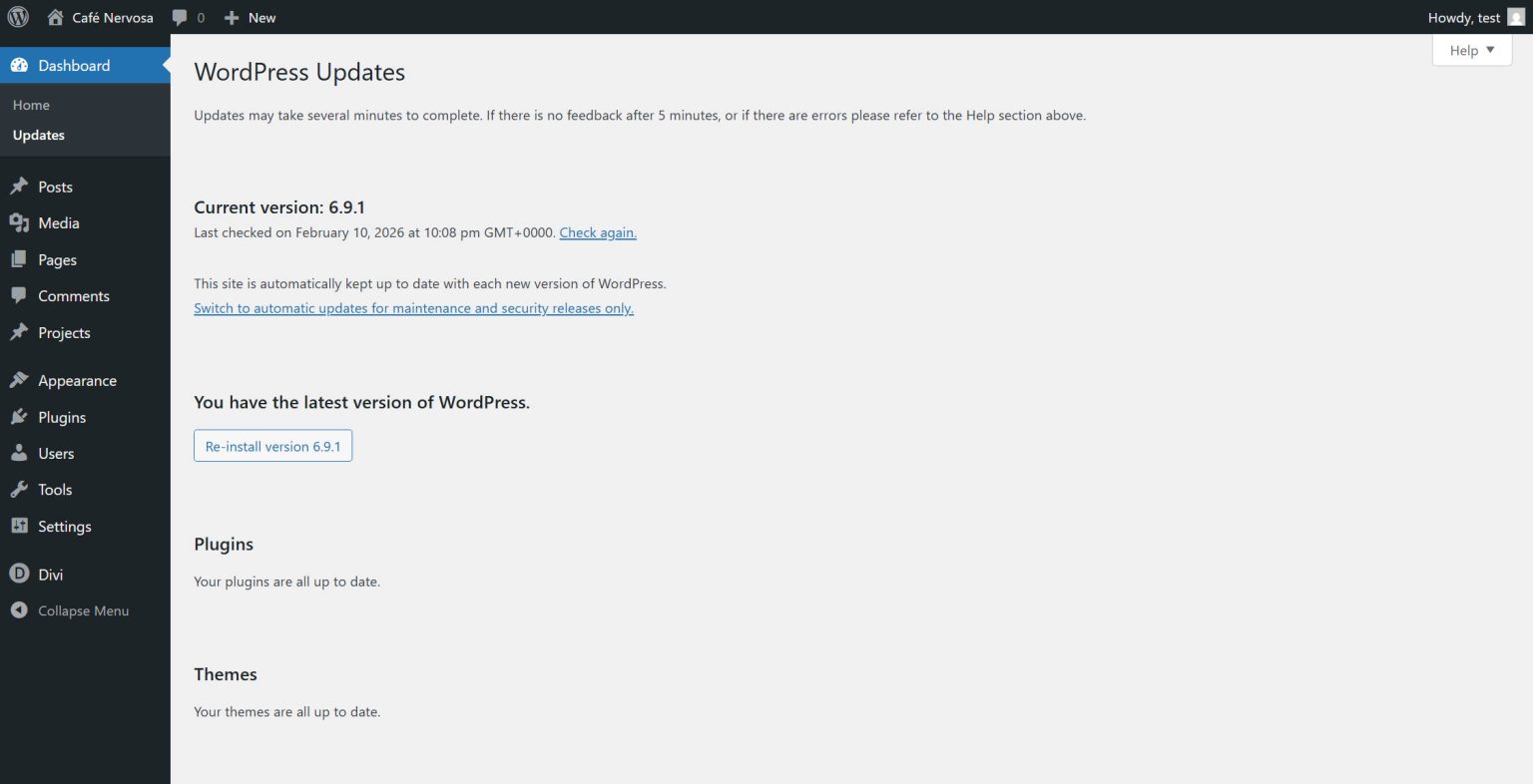
Make sure WordPress core, Divi, and all Divi-related plugins are running the most recent stable versions (D4) before making a backup or setting up a staging site.
Spend some time determining whether third-party Divi extensions, like as module packs, layout plugins, or custom functionality from the Divi Marketplace or other sources, have been released with Divi 5 compatibility.
Updating their own plugins to function natively with Divi 5 is the responsibility of third-party developers. Numerous people have already done so, and more are frequently submitting updates. Divi 5's backward compatibility feature will ensure that extensions that have not been upgraded yet continue to function. However, until the extensions are updated, any page using those legacy modules will load the Divi 4 framework, preventing them from experiencing the full performance gain. List the third-party addons you use. Find out each developer's Divi 5 timeline. You can either rely on backward compatibility or wait a few weeks and check back if the majority of your website is dependent on extensions that do not yet have Divi 5-native versions.
You can update your Divi 4 site to Divi 5 in two different ways. Updating to the most recent Divi 4 version is the simplest method.
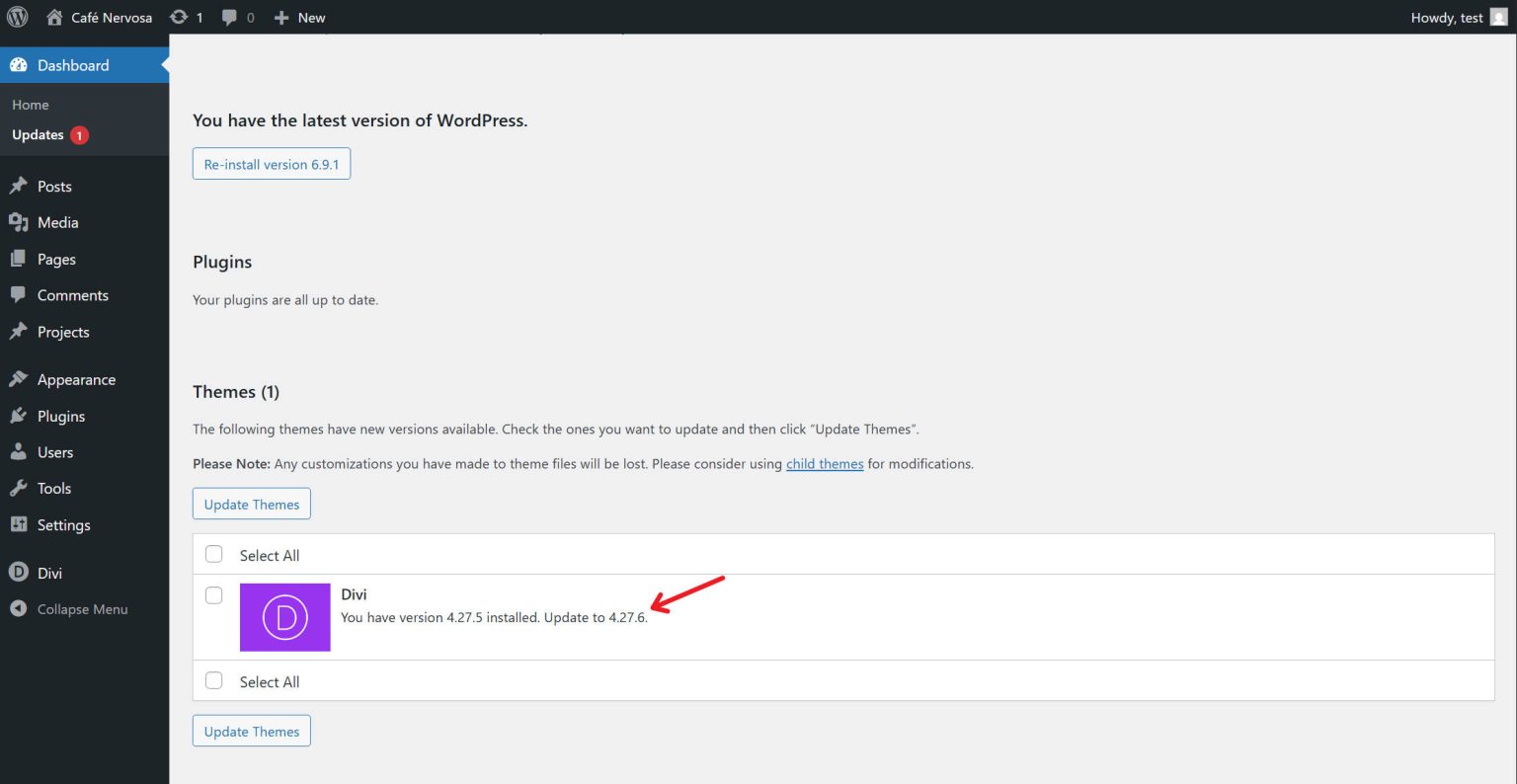
You can then choose to upgrade to Divi 5 by going to the Divi Dashboard. By doing this, the most recent Divi 5 build will be displayed as an additional theme update. Update your theme to Divi 5 after that.
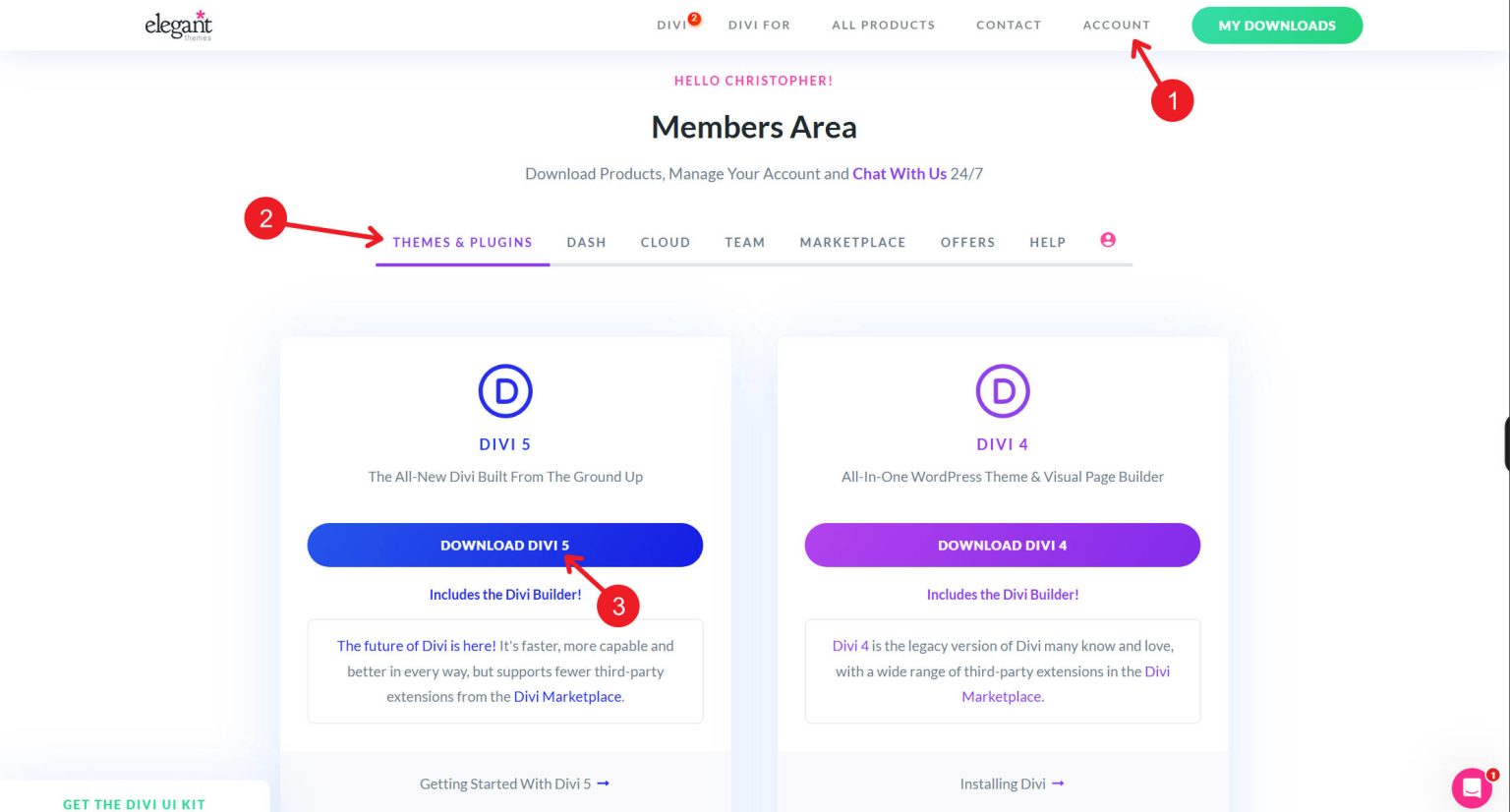
Alternatively, you may download the most recent version of Divi 5 manually by logging into your Elegant Themes member dashboard.
Next, install the Divi 5 ZIP file by going to Appearance > Themes > Add New > Upload Theme in your WordPress dashboard (on your staging site).
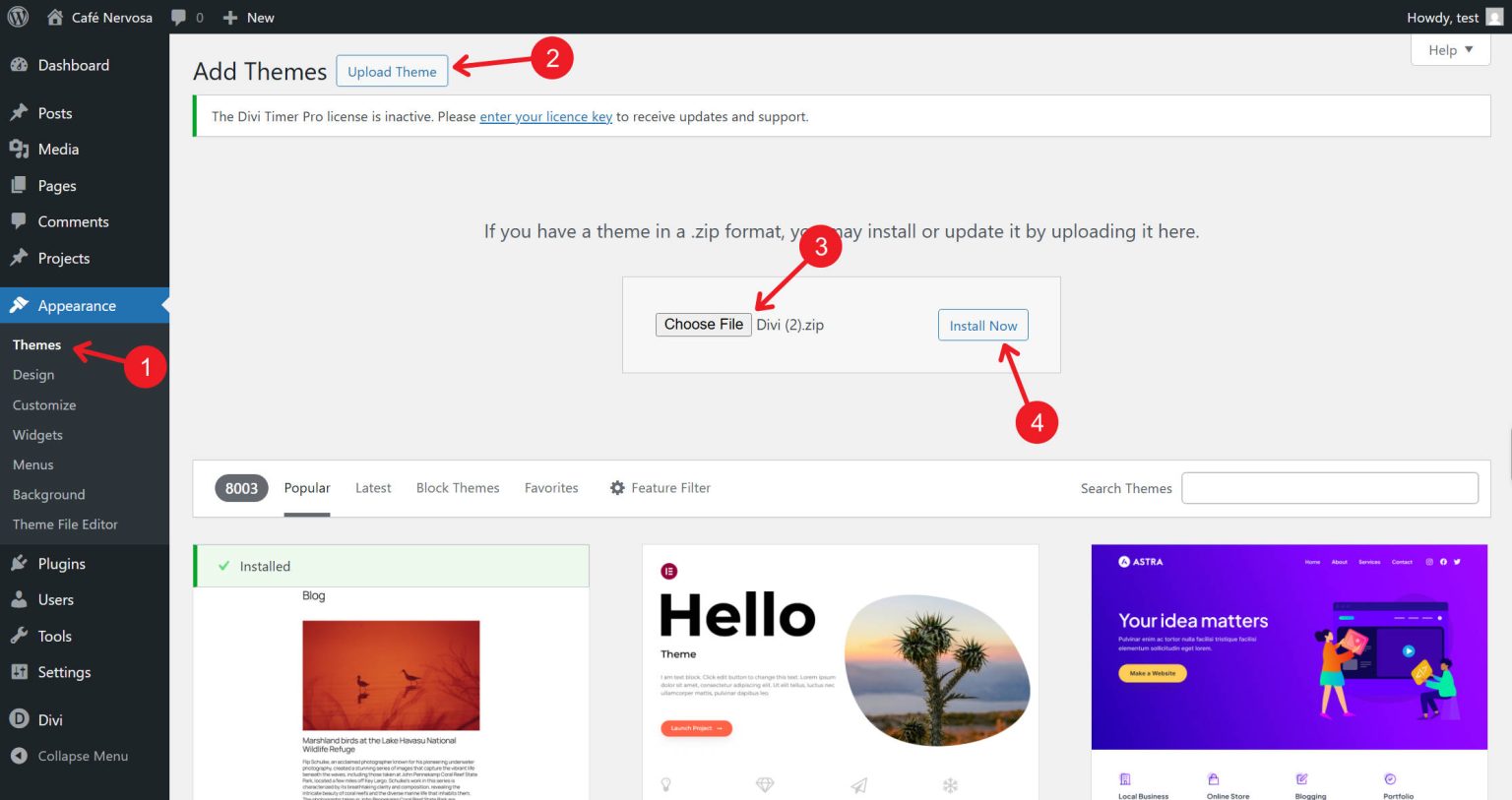
Turn on the theme. You will be instantly taken to the Divi 5 Migrator once Divi 5 is activated.
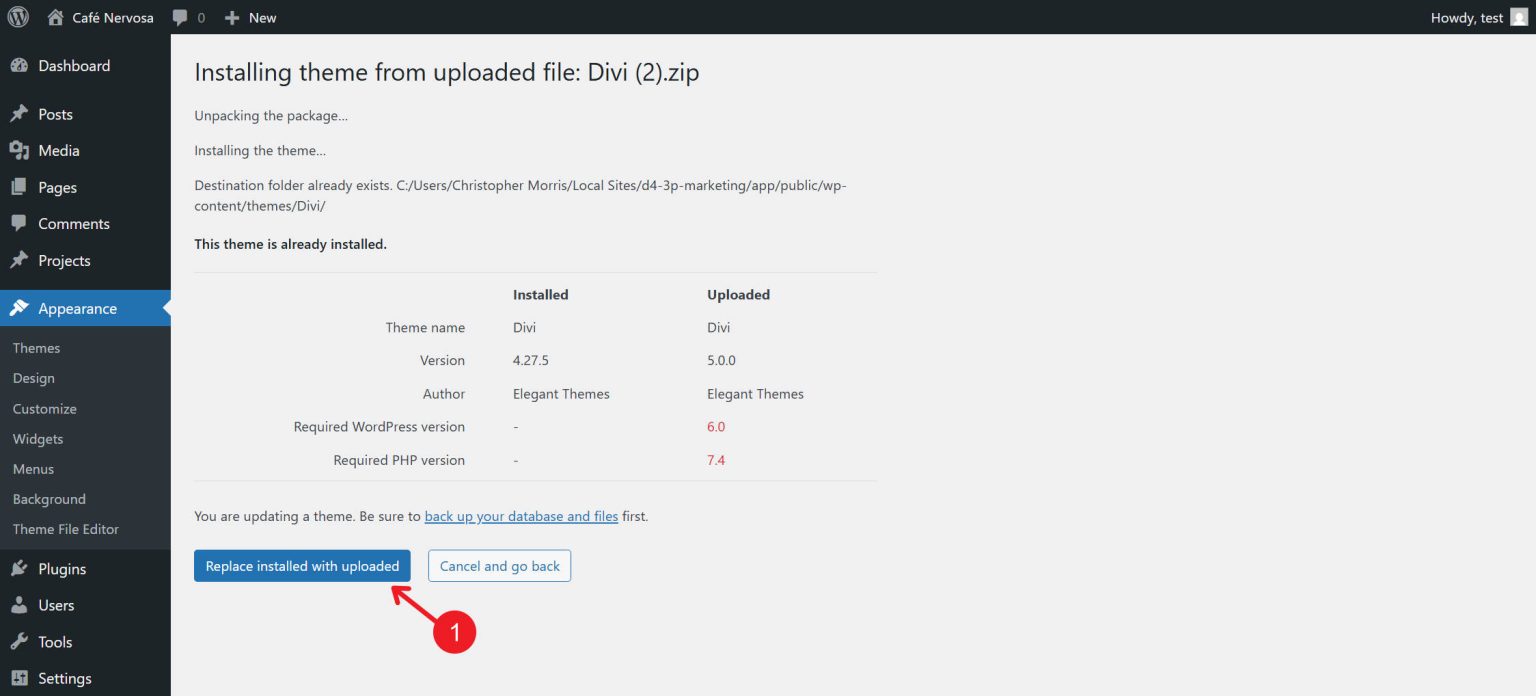
When you first access the Divi 5 Migrator, it immediately runs a compatibility scan. If you have not done, navigate to Divi > Divi 5 Migrator in your WordPress dashboard. Pages, Posts, Custom Post Types, Theme Builder Templates, WooCommerce Products, Divi Library Items, Widgets, and Presets are just a few of the sections of your website that the scan examines.
One of two indications is shown in each section of the report. The material is totally compatible and will convert to Divi 5 natively if it has a blue checkmark. The content will operate in backward compatibility mode if it contains modules or features that are not yet fully supported, as shown by an orange warning icon. The report pinpoints the precise modules that are causing the compatibility problem for any items that are marked with warnings. Take a close look at this. It provides you with a clear image of what will use the legacy framework and what will operate natively in Divi 5. Additionally, it will display any pages that include unsupported modules.
Update any third-party extensions you use to versions that are compatible with Divi 5 after reading the compatibility report. These will take care of moving their own settings and plugins. Click the Migrate This Site to Divi 5 button after returning to the compatibility report. There will be a confirmation dialog box. To continue, click Confirm.
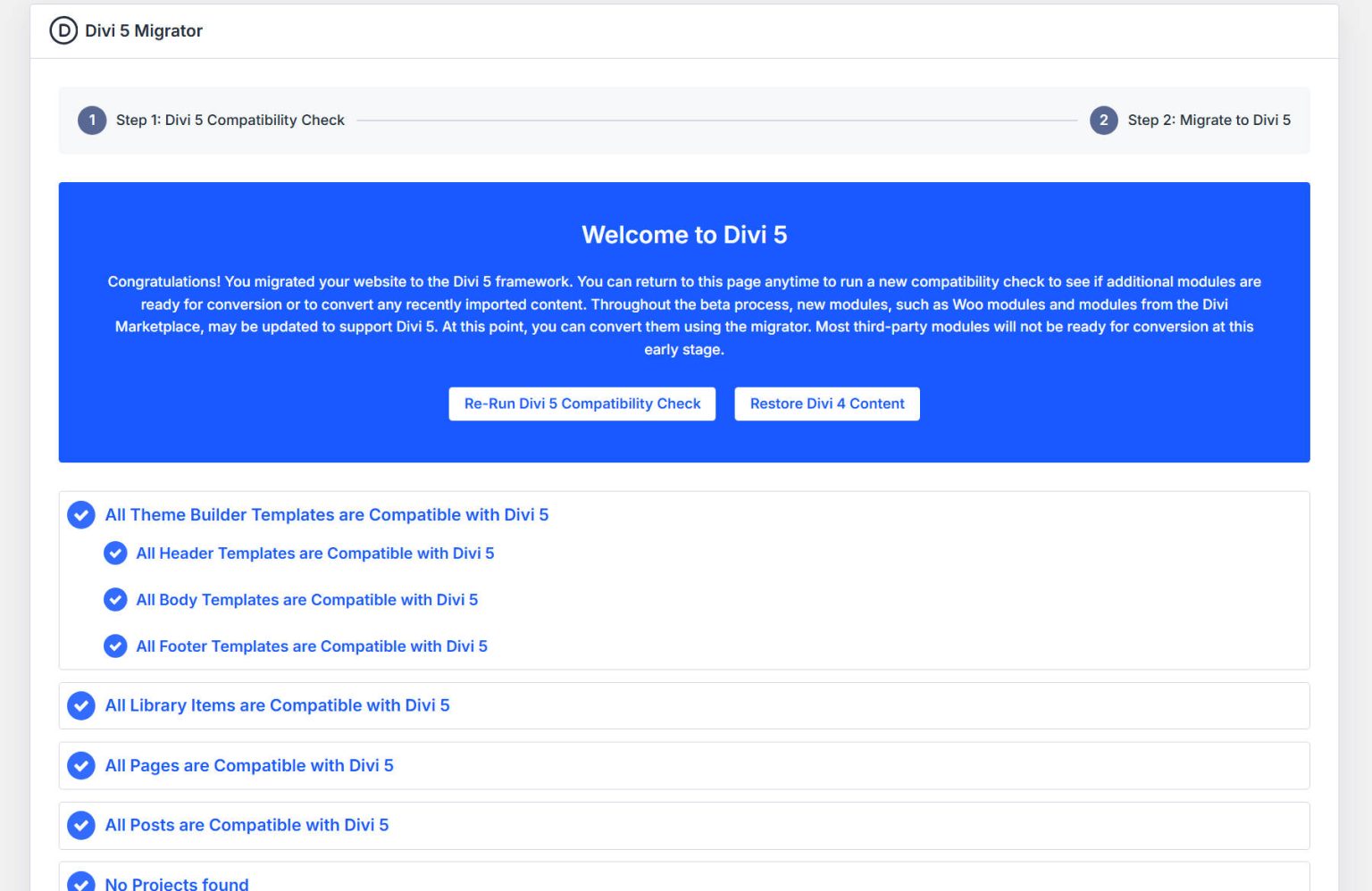
The actual movement happens quickly. Larger sites may require a few minutes, although the migration procedure often takes a few seconds. It can take a minute or two for larger websites with large content collections. Every Divi-built page, post, and template is converted at this period by the migrator, which wraps unsupported modules in the backward-compatibility layer and moves supported modules to the Divi 5 framework. You will not have to do this again for the same spot because it is usually a one-time procedure. A "Welcome to Divi 5" confirmation page will appear after the migration is finished. A button to restart the compatibility check (helpful as third-party extensions release updates) and a button to restore Divi 4 content if you need to go back may also be present on this screen.
Comprehending the Backward Compatibility Mode Certain pages on your website can have a brief message on the front end that says "Backward Compatibility Mode Enabled" following the conversion. This is not a mistake; rather, it is informational. It indicates that there is at least one legacy module on the page that is still using the Divi 4 framework; in order to keep that module operational, Divi loads the old rendering system.
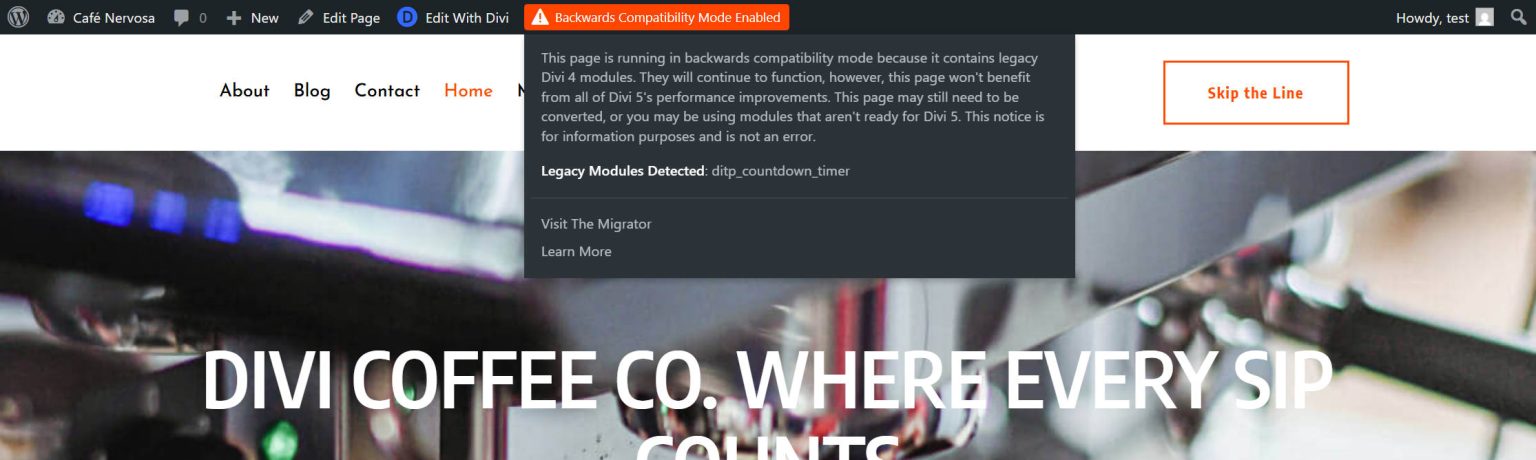
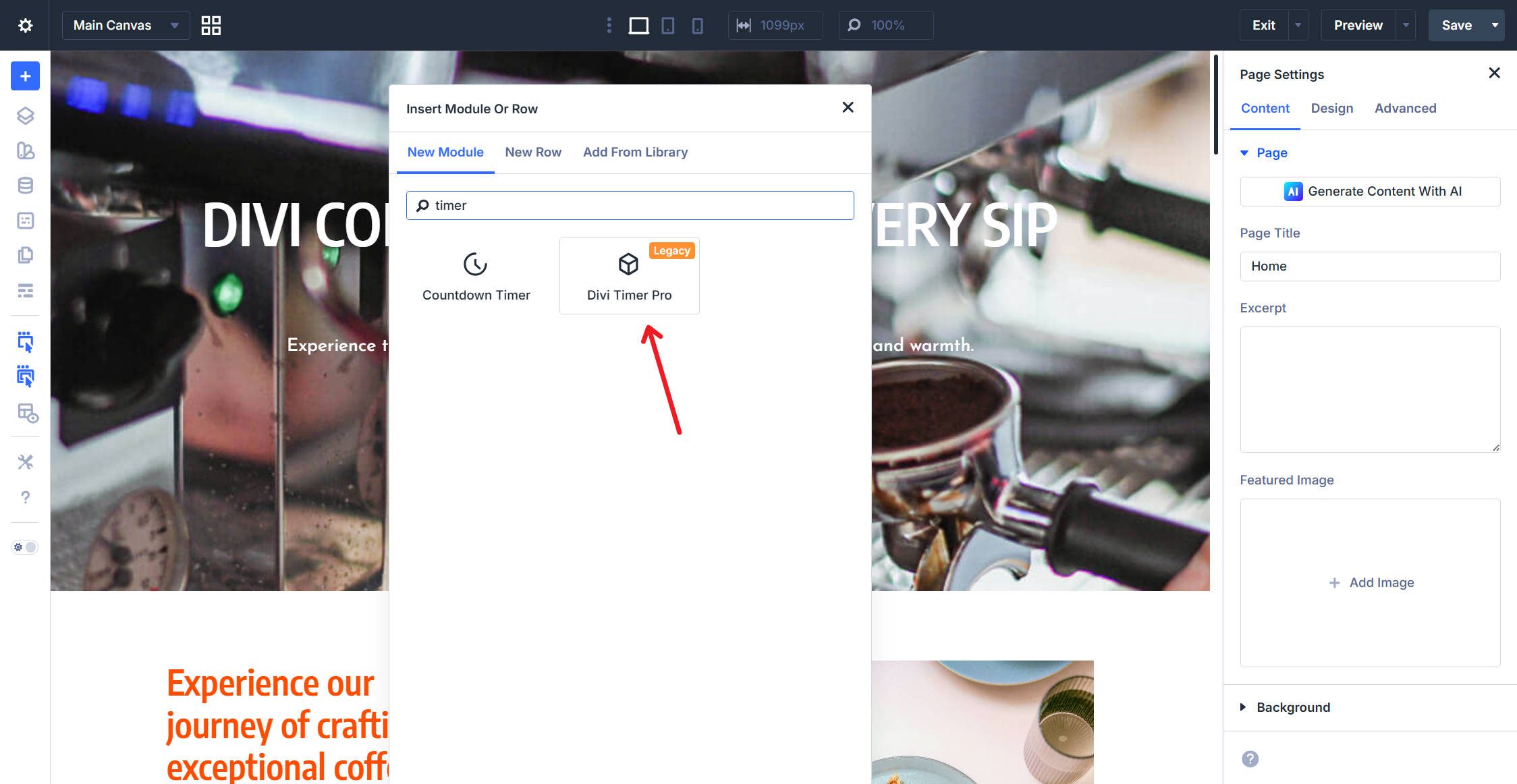
Legacy modules can still be opened in the builder and shown to visitors in Backward Compatibility Mode. Every styling element is still present. However, until all of the modules on that page are converted to Divi 5, the page will not take advantage of Divi 5's performance enhancements because it loads the Divi 4 rendering engine in addition to Divi 5. Although unsupported modules can still be chosen in the Module Picker, doing so will cause the page to remain in Backward Compatibility Mode until they are updated.
You can update such plugins as third-party developers provide Divi 5-compatible updates for their extensions, and after all of the page's legacy modules have been updated or replaced, the backward compatibility message ought to vanish. Additionally, if Divi 5-native equivalents are available, you can proactively update outdated third-party modules with them. Only Divi 5-native modules run fully on the new framework with full performance advantages.
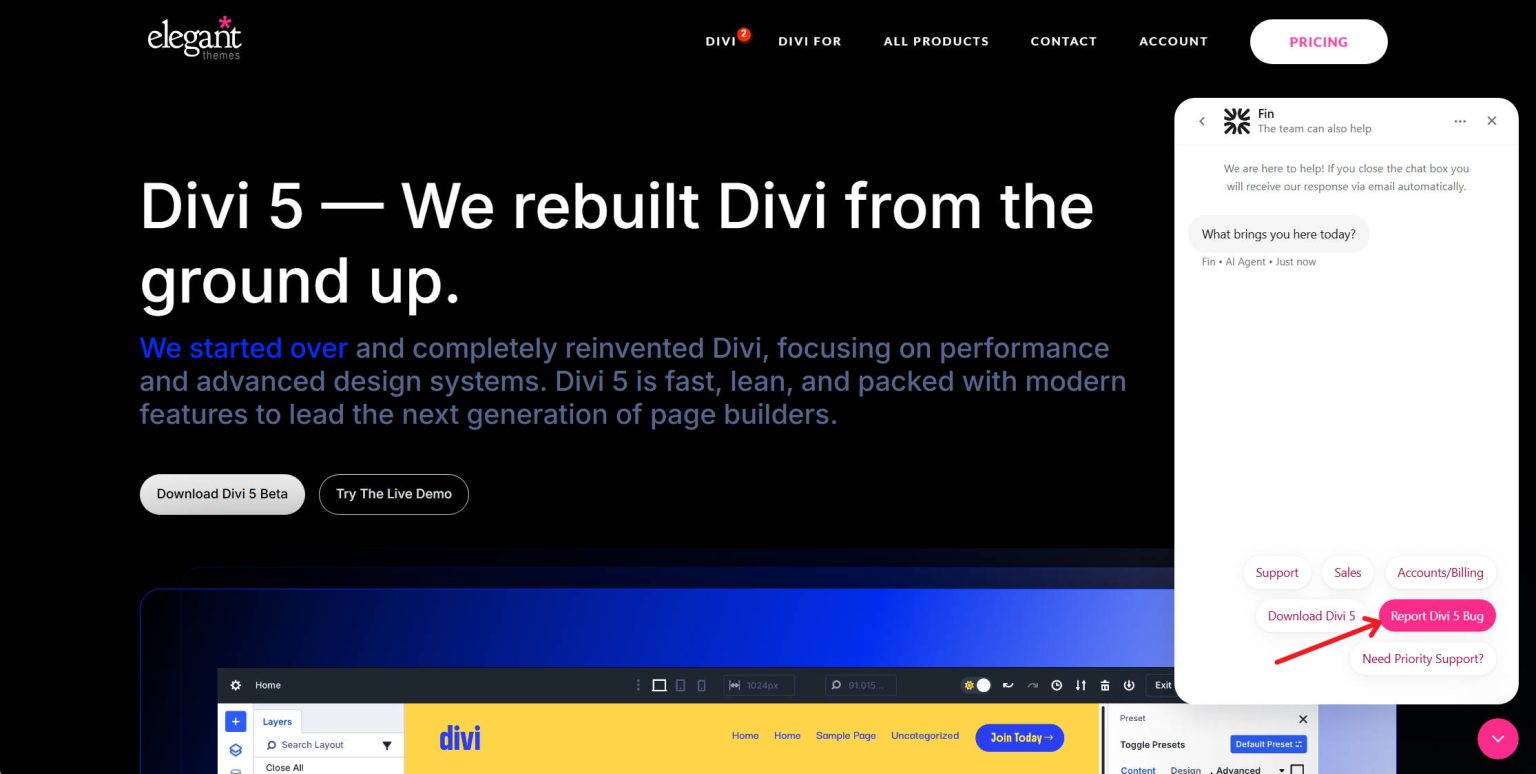
Check important pages after migration to make sure everything is operating as it should. Start by looking at the pages that receive the most traffic. Load a few of them onto the front end, then contrast their appearance with their pre-migration state. Check for changes in the layout, missing content, poor styling, or problems with functionality. Examine the templates in Theme Builder. Custom post type templates, headers, and footers are all migrated. Verify that they display and work properly. If you manage an online store, look at WooCommerce pages. Verification should be done on the product, cart, checkout, and account pages. Examine menus, forms, and interactive components. Both desktop and mobile versions of contact forms, navigation menus, conditional displays, and any other JavaScript-dependent features should be tested. If you discover problems on your staging site, note them and think about if they could be obstacles. You should be able to conduct some small fixes right in Divi 5. You might wish to wait for a plugin update if there are other problems. You may find and fix these issues without harming your live site, which is precisely why staging is in place. Please report any migration problems you encounter with native Divi modules so that the migration system can keep getting better.
Push staging to production as soon as your staging site passes testing. The majority of hosting companies that provide staging also give a one-click push to activate your staging site. Because it replaces your production site with the fully tested, migrated version, this method is the cleanest.
A restore option that preserves a copy of your Divi 4 content is integrated into the Divi 5 Migrator. To restore your pre-migration Divi 4 content if you experience issues after migration, select Restore Divi 4 Content on the Migrator screen. You can roll back or reinstall Divi 4 to go back to the Divi 4 update path after your material has been restored.
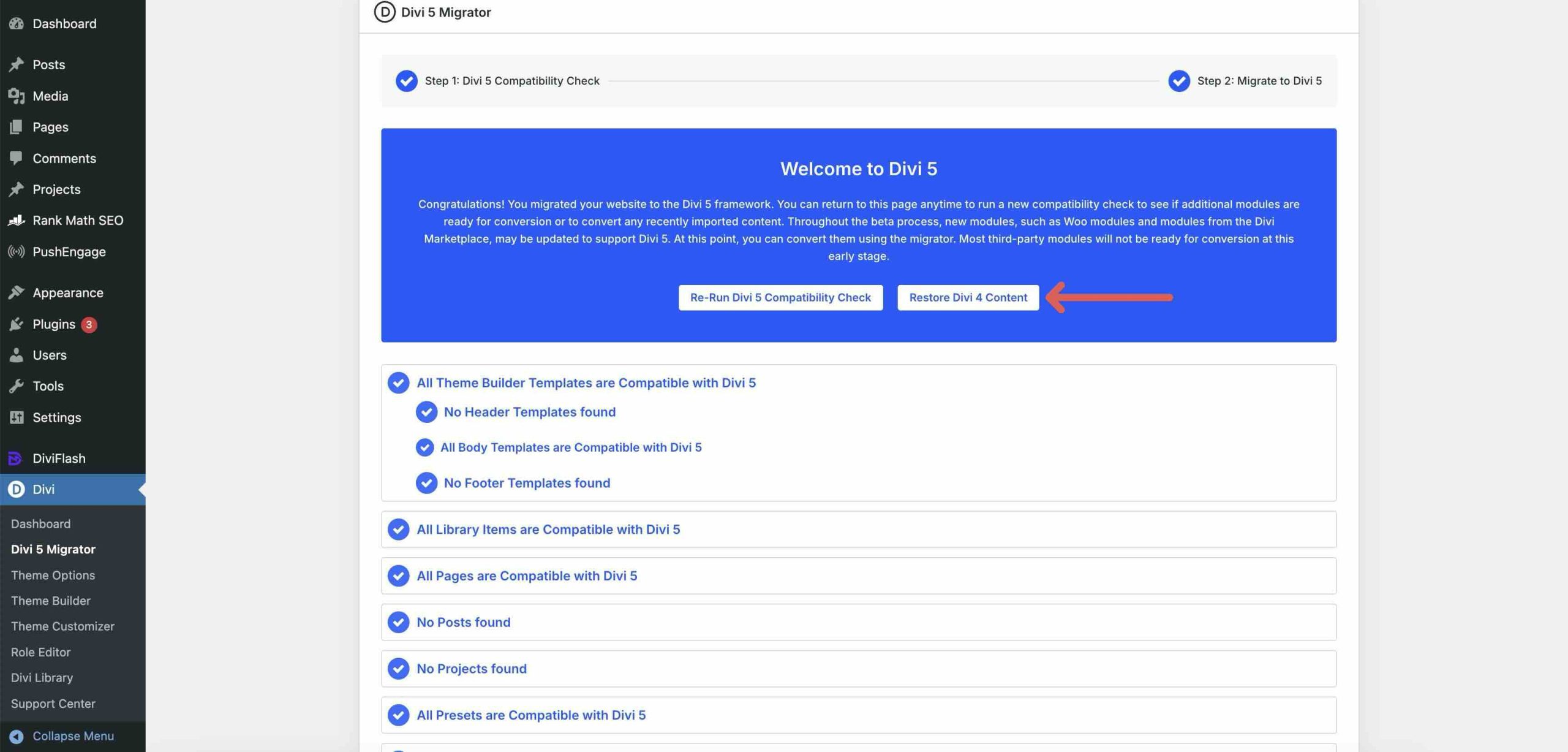
You can return to your functional Divi 4 build by utilizing a throwaway staging site or your full site backup from Step 1 if the restore option does not fix the problem. As we receive bug reports relating to migrations, we are actively addressing them. There can still be a few edge instances where a migration causes minor problems. If you get into a particular problem while testing on staging, report it and try to resolve it from the Divi 5 end. Rather than waiting for a future release, it would be worthwhile to make the change in Divi 5 if the repair is small. However, you have complete control over that assessment. As we make sure migration is not a barrier, issues that are preventing you today might be fixed in the upcoming dot release. Convert Your Websites to Divi 5 The most important update in Divi's history is today! Divi 5. The migration procedure is intended to be comprehensive, safe, and reversible. Make a backup of your website, test it on staging, launch the migrator, check your pages, and go live. The increased feature set, the improved builder interface, and the performance improvements make it worthwhile. Additionally, keep in mind that you were not given a migration pathway by other builders in recent memory. We made it a requirement for ourselves to make sure a migration system is in place because we are so humbled by our devoted users' continuous use. We want you to be able to quickly dive into Divi 5 and see all the amazing advancements we have been making.